Import from CSV
Last updated April 29, 2026
You can upload a CSV file to add influencers to your campaign in bulk instead of entering them one by one. Import adds rows to the influencer table inside a campaign.
How to import
- Open a campaign and click Import CSV
- Select your
.csvfile - Map your file's columns to campaign columns
- Review the preview and click Import
If the campaign already has records, Bondr guides you to create a new campaign for the import. This prevents accidentally mixing a large upload into existing campaign data.
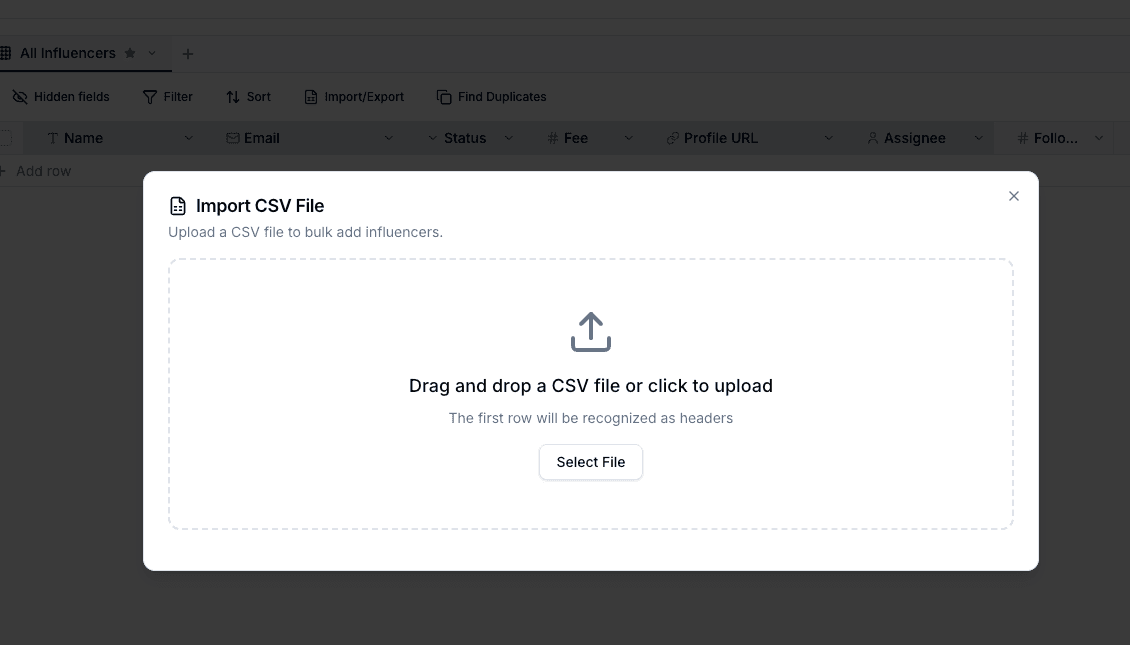
Supported formats
.csv(comma-separated values)
Export Excel or Google Sheets files as CSV before uploading. The first row is treated as the header row.
Column mapping
During import, each file column can be mapped to an existing column, created as a new custom column, or skipped. Bondr tries to auto-match columns by header name.
- Name or 이름 → the Name system column
- Email, 이메일, or 메일 → the Email system column
- Status or 상태 → the Status system column
- Fee, Cost, 비용, or 금액 → the Fee system column
- Profile, URL, 프로필, or 링크 → the Profile URL system column
If the automatic mapping is not right, adjust it in the mapping step. One existing column can only receive one CSV column; you cannot map multiple file columns to the same existing column in one import.
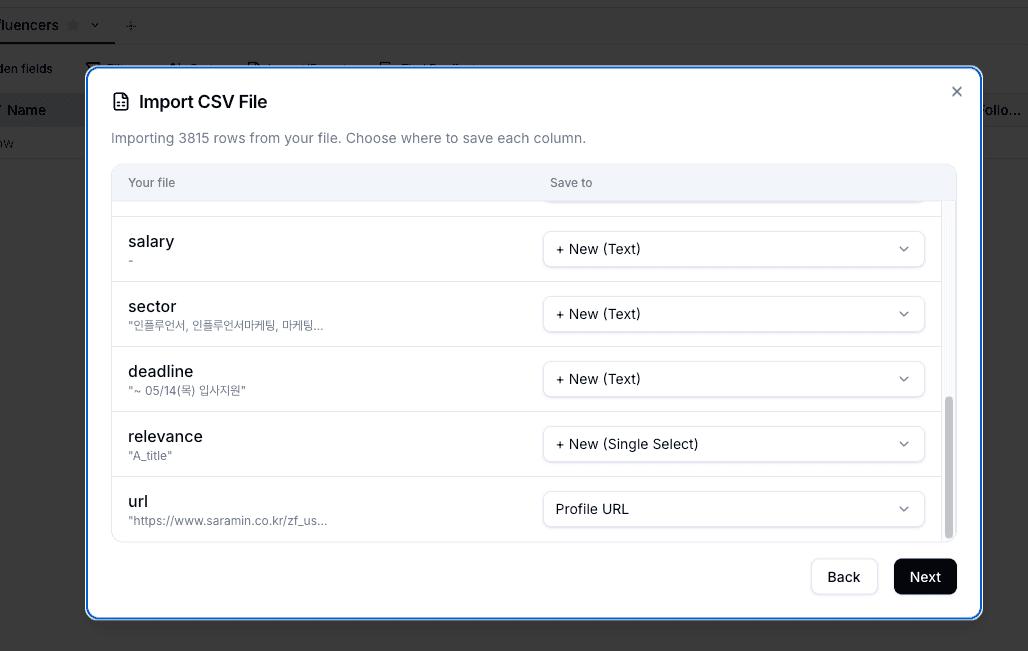
System column names are reserved. If a CSV header matches a system column such as Email or Status, Bondr maps it to that existing system column or adjusts the new custom column name to avoid a conflict.
Value conversion and options
Values mapped to number columns are saved as numbers after removing commas and currency symbols. Checkbox columns recognize values such as true, false, yes, no, 1, and 0. When CSV values are mapped to a dropdown column and an option does not exist yet, Bondr adds the missing option during import.
Check the preview before importing to confirm values are going into the intended columns and types. For inbox auto-linking, make sure email addresses are mapped to the Email system column, not a custom email column.